> For the complete documentation index, see [llms.txt](https://docs.monogoto.io/llms.txt). Markdown versions of documentation pages are available by appending `.md` to page URLs; this page is available as [Markdown](https://docs.monogoto.io/faq/how-to-manually-change-a-sim-profile-using-a-smartphone.md).
# How to Manually Change a SIM Profile Using a Smartphone?
In some cases, a SIM may remain on a profile that is not functioning correctly. A common troubleshooting step is to manually switch the SIM to a different profile using the SIM menu on a smartphone.
This can be done using the SIM Toolkit (STK) on Android devices or the SIM Applications menu on iOS devices. The instructions below outline the steps for each operating system.
### IMSI Prefix to Profile Mapping
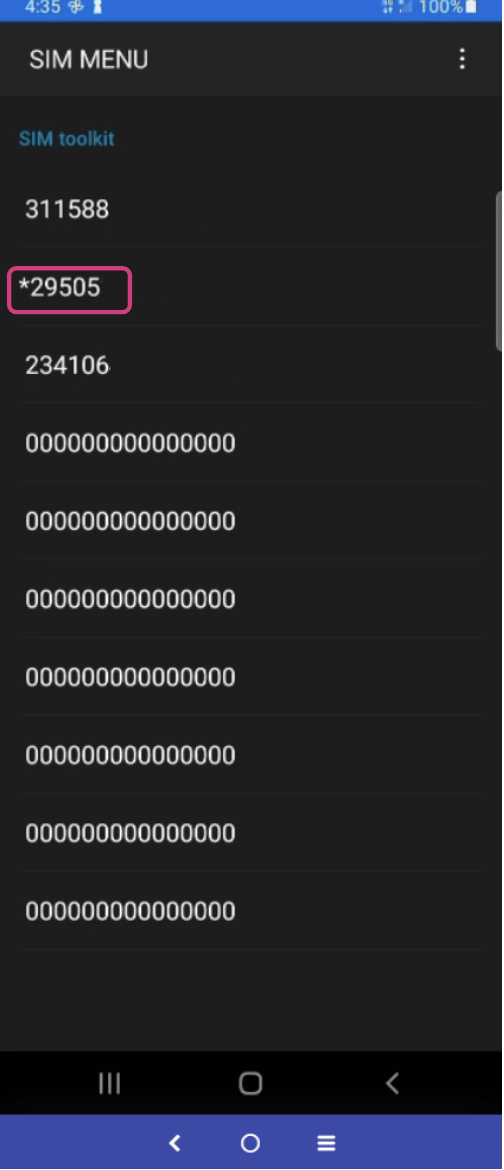
The first six digits of the IMSI identify the profile:
* 295050 – Profile E
* 311588 – Profile U
* 24007 – Profile B
* 234106 – Profile O
### Android Devices
When using a Monogoto SIM in an Android device, the MTK applet automatically installs a SIM Toolkit application on the phone.
#### Accessing the SIM Toolkit
1. Open the app search on your Android device.
2. Search for SIM.
3. Open SIM Toolkit or SIM Menu.
#### Changing the Profile
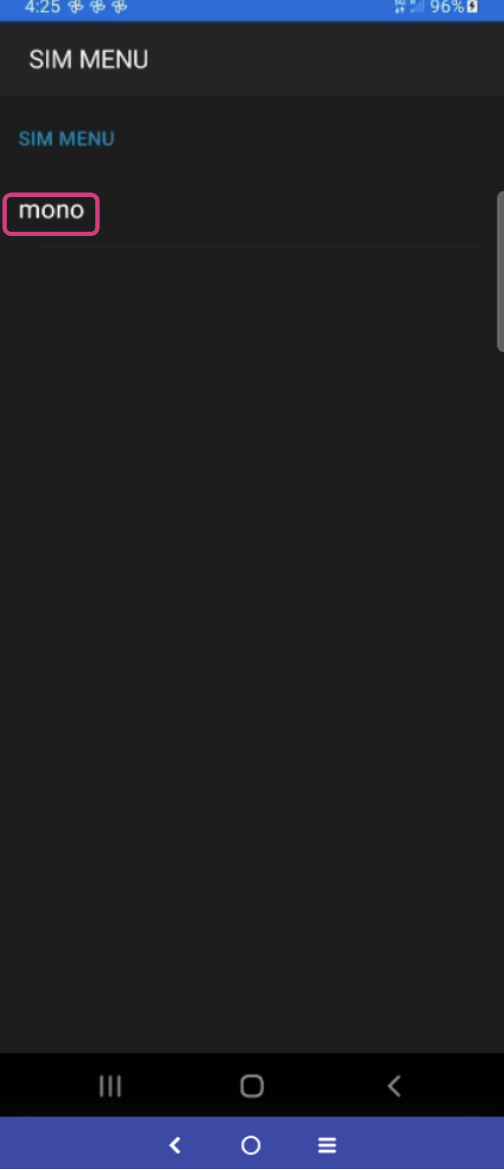
1. Open the SIM menu.
2. Select Mono.
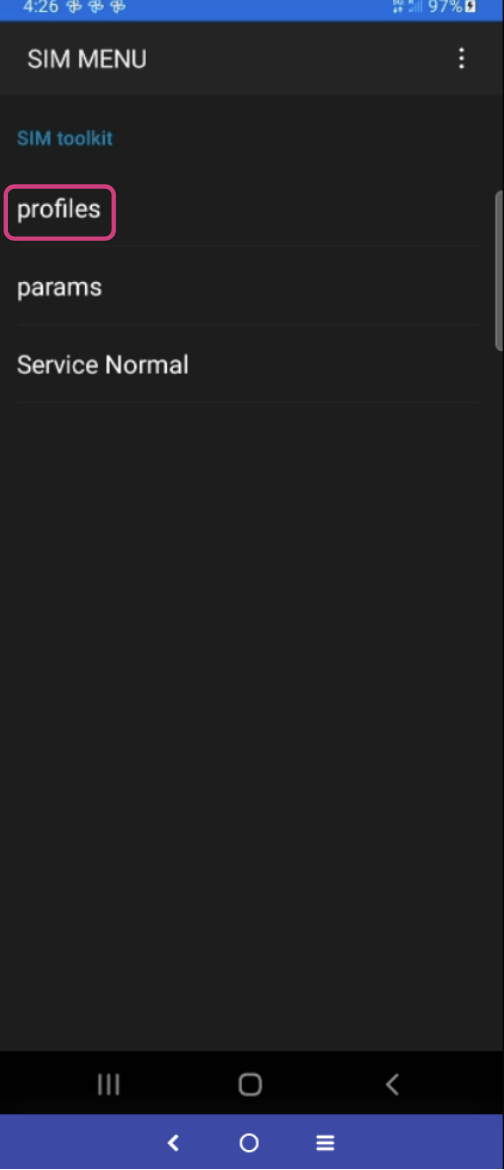
3. You will see the following options:
1. Profiles
2. Params
3. Service Normal
4. Select Profiles to view the available IMSIs on the SIM.
5. Compare the listed IMSIs with the information shown in the Monogoto Hub to determine which profile you should switch to.
6. The currently active IMSI is indicated by a star (\*) next to it.
7. Select the desired IMSI to change the active profile.
### Apple (iOS) Devices
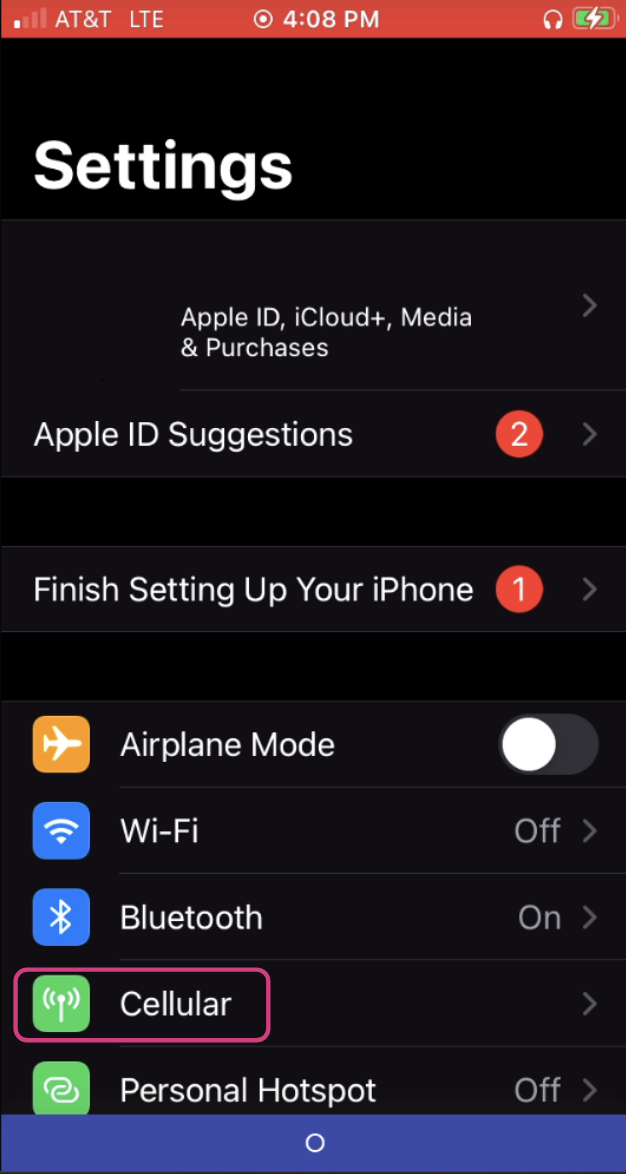
On iPhones, the SIM menu is accessed through the device settings.
#### Accessing the SIM Menu
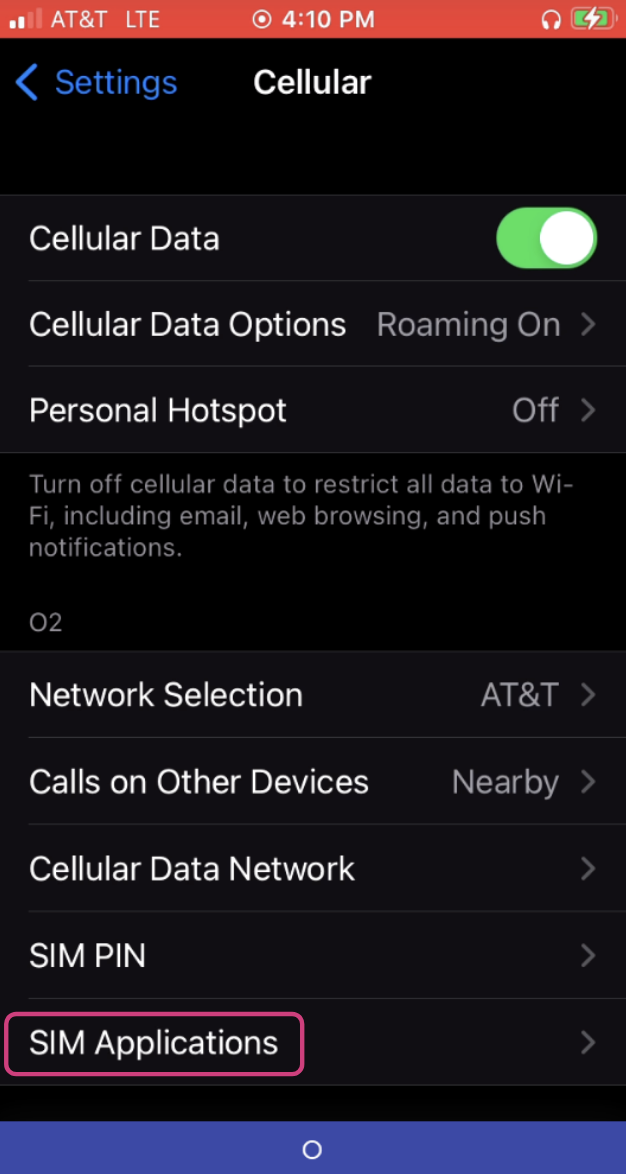
1. Select Cellular.
2. Tap SIM Applications.
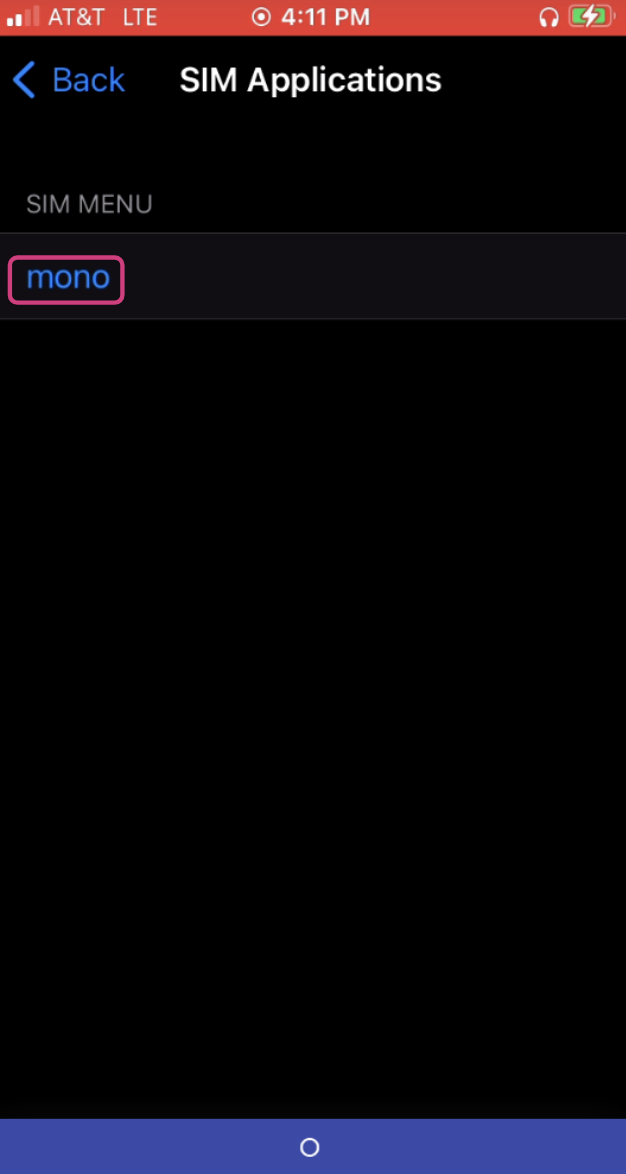
2. Select Mono.
#### Changing the Profile
1. After selecting Mono, you will see:
1. Profiles
2. Params
3. Service Normal
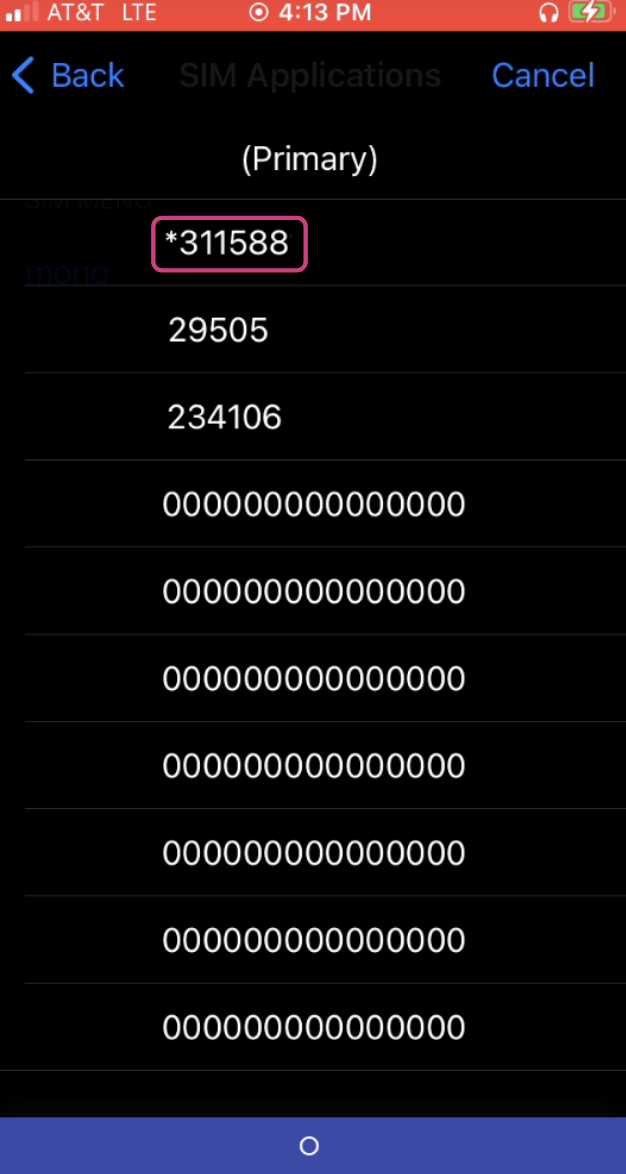
2. Select Profiles to view the available IMSIs.
3. The active IMSI will have a star (\*) next to it.
4. Select the desired IMSI to switch the SIM profile.
{% hint style="info" %}
Always confirm the correct IMSI/profile to use by referencing the Monogoto Hub before making changes.
After switching profiles, allow the device a few minutes to re-register on the network.
{% endhint %}