> For the complete documentation index, see [llms.txt](https://docs.monogoto.io/llms.txt). Markdown versions of documentation pages are available by appending `.md` to page URLs; this page is available as [Markdown](https://docs.monogoto.io/getting-started/general-device-configurations/cellular-modems/rv50-sierra-wireless-airlink.md).
# Sierra Wireless RV50 AirLink
The following guide contains basic configuration for RV50 Sierra Wireless AirLink to work with a Monogoto SIM card.
RV50 Sierra Wireless AirLink modem should require only entered APN in device to work with a Monogoto SIM card.
### To change APN settings, please do the following:
1\. Login into your modem
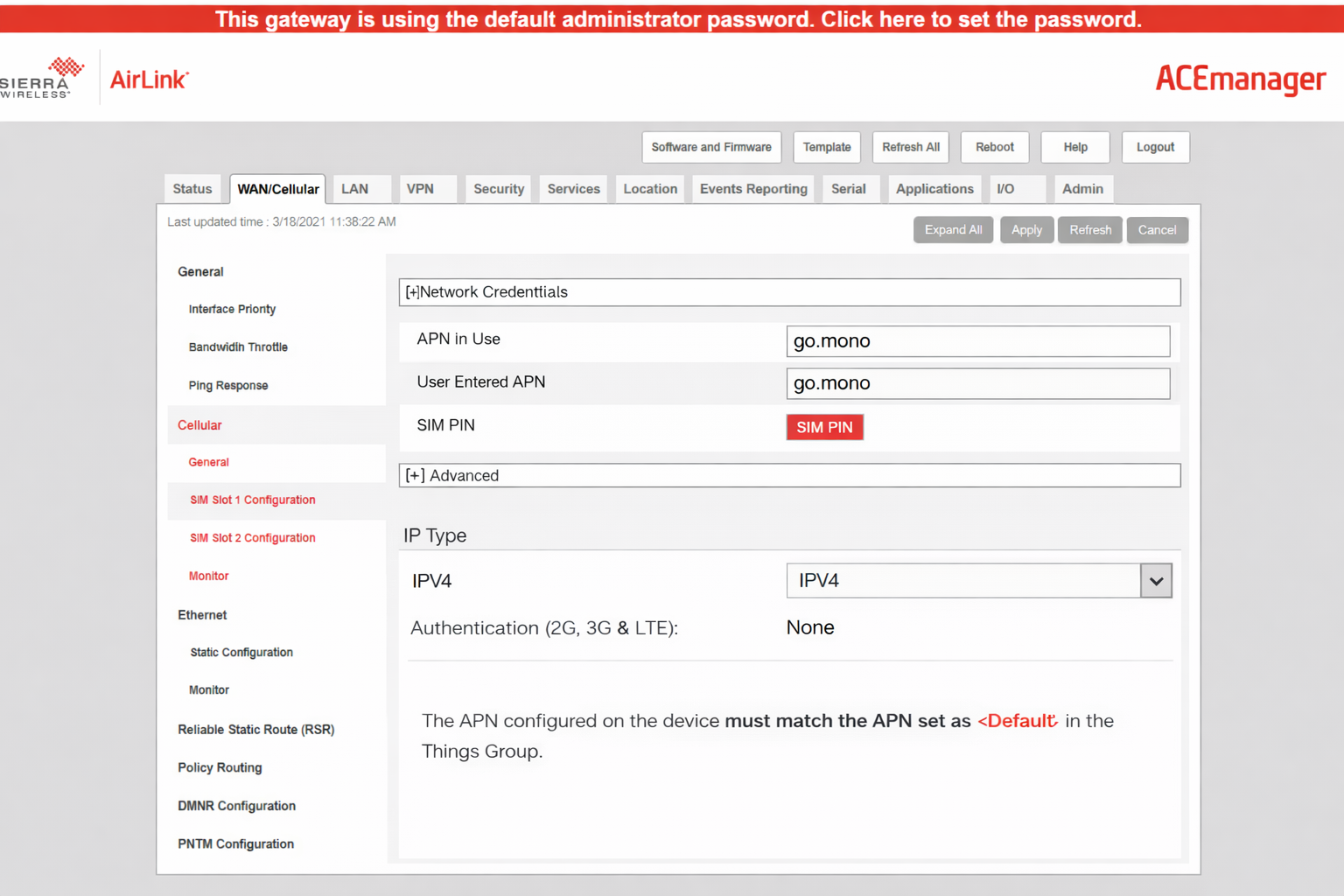
2\. Go To **WAN/Cellular** and select **Cellular**

3\. Click on **SIM Slot 1 Configuration** or **SIM Slot 2 Configuration** (depending in which slot you have inserted the SIM card)

4\. Enter APN and save changes

Example showing the go.mono APN used in RV50 Sierra Wireless AirLink modem
{% hint style="warning" %}
Please note that some devices may not work properly without correct date and time ettings. Therefore, make sure that you have good data and time settings.
If your device takes time from NTP server, please use the following servers:
NTP server 1 - **0.de.pool.ntp.org**
NTP server 2 - **1.de.pool.ntp.org**
{% endhint %}
{% hint style="info" %}
If needed, please note that you may find official manufacturer manual for this modem [following this link](https://s.campbellsci.com/documents/ca/manuals/rv50_man.pdf)
{% endhint %}