# User password reset

Here are the steps to follow, in case you are unable to login and need to reset your password.&#x20;

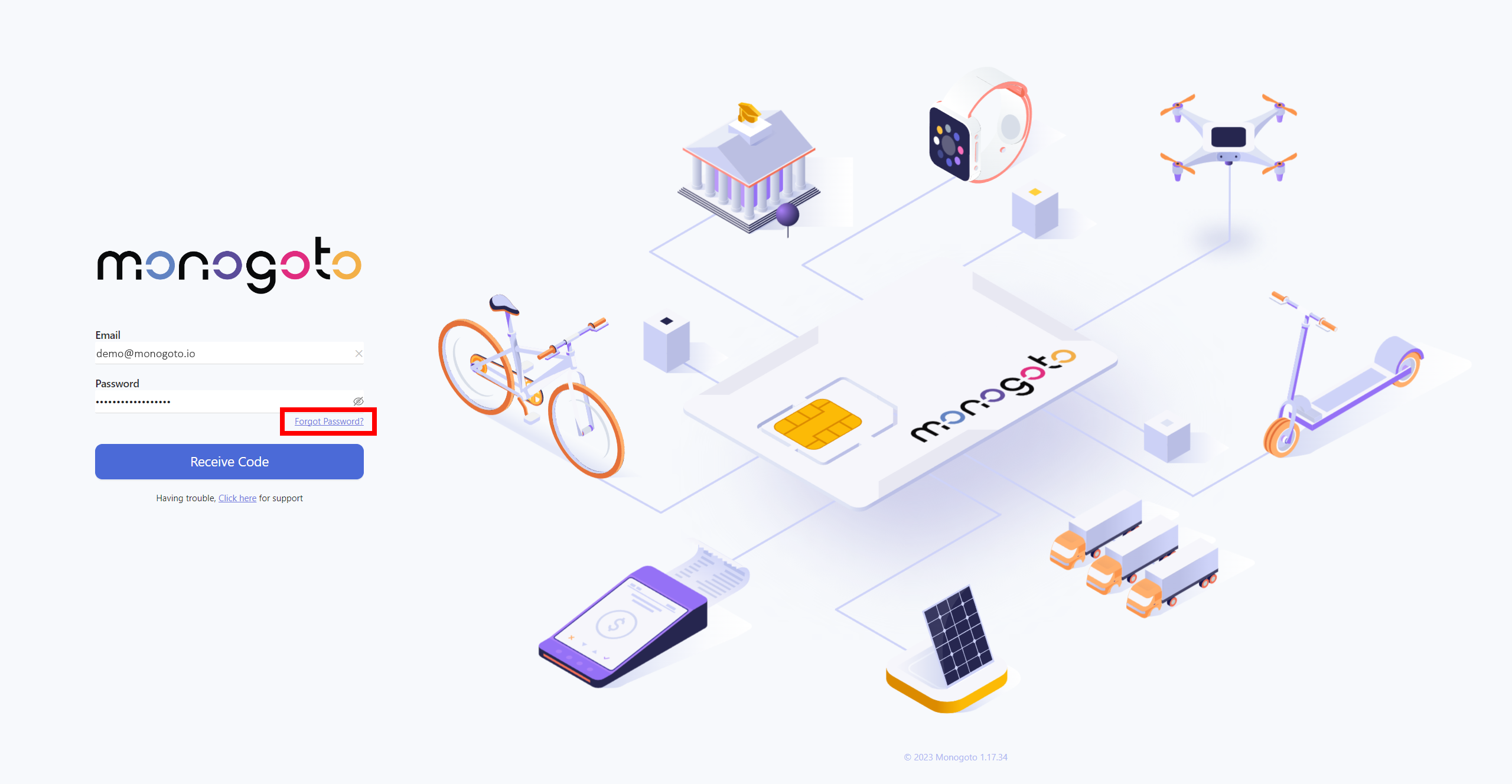
1. Go to Monogoto hub [login page](https://hub.monogoto.io/).
2. Press on `Forgot Password?` button.

<figure><img src="https://3922449203-files.gitbook.io/~/files/v0/b/gitbook-x-prod.appspot.com/o/spaces%2F-M0mPxGpottOEfcucXOR%2Fuploads%2FaEnEaYE8iKJtmN2KM985%2Fimage.png?alt=media&#x26;token=73e172e7-00cb-4f9e-88a5-e41d590ea87e" alt=""><figcaption></figcaption></figure>

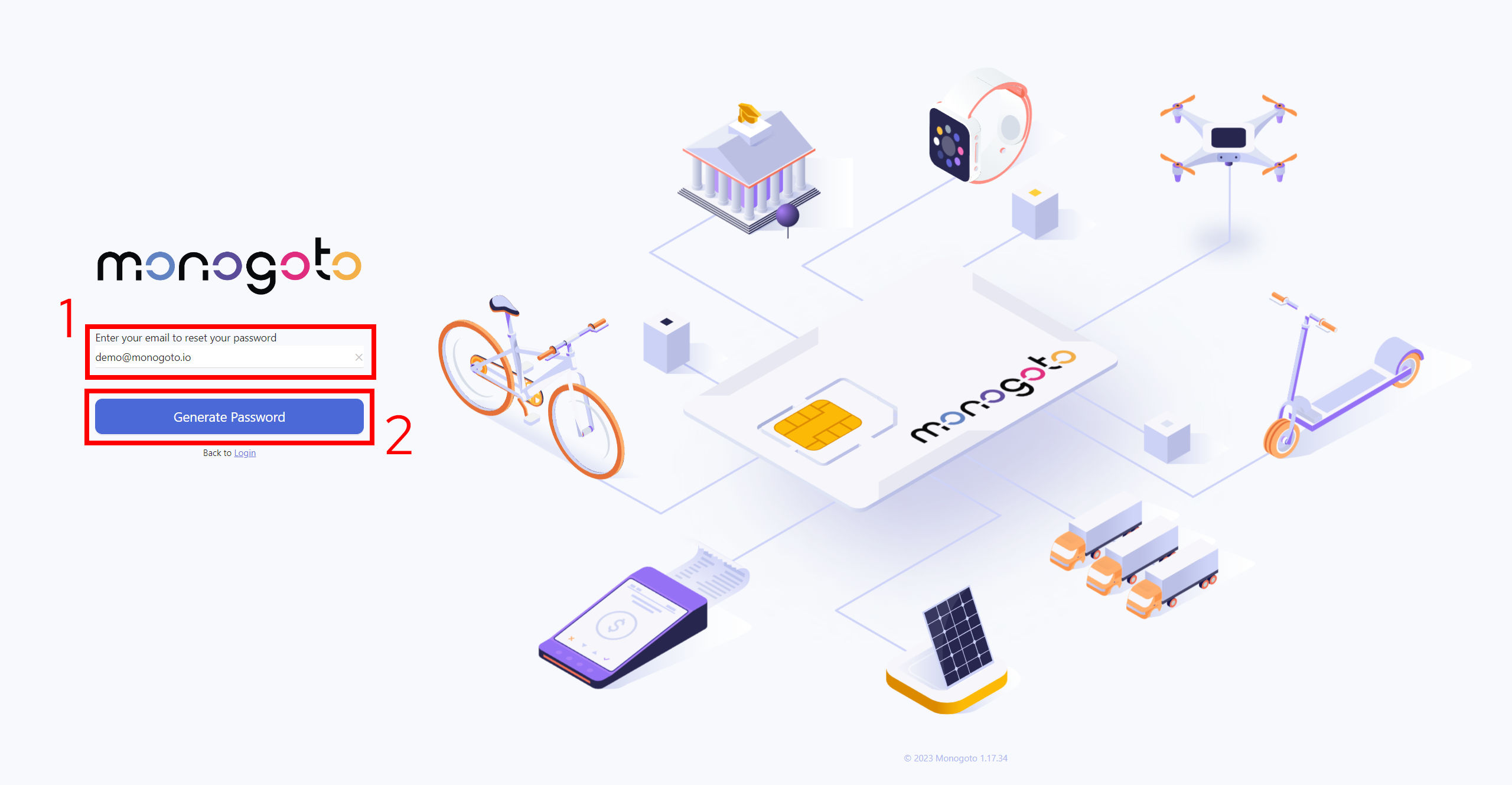
3. Enter the email address of the user you wish to reset the password and press on `Generate Password` button.

<figure><img src="https://3922449203-files.gitbook.io/~/files/v0/b/gitbook-x-prod.appspot.com/o/spaces%2F-M0mPxGpottOEfcucXOR%2Fuploads%2Fh5XslepJiEIEF2Ppv3hO%2Fimage.png?alt=media&#x26;token=1c13c096-792f-43c3-b732-c42a10e71ca8" alt=""><figcaption></figcaption></figure>

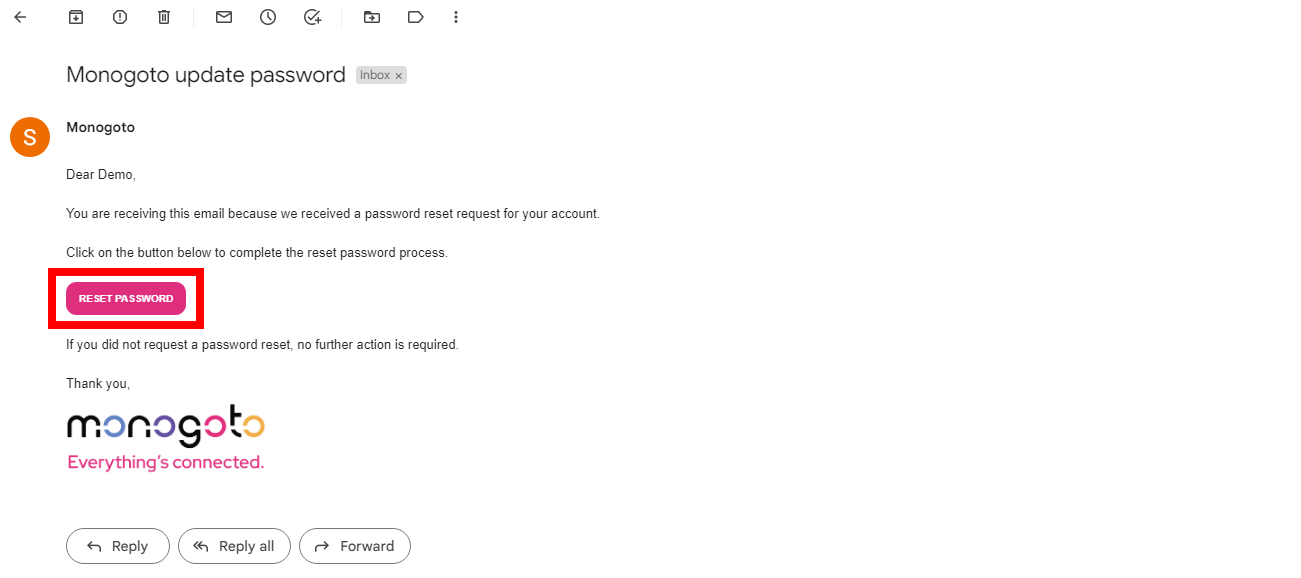
4. Next, you will receive an email with a `reset password` link, click on it.

<figure><img src="https://3922449203-files.gitbook.io/~/files/v0/b/gitbook-x-prod.appspot.com/o/spaces%2F-M0mPxGpottOEfcucXOR%2Fuploads%2FnV90hk3qrDnvBEPCXxtS%2Fimage.png?alt=media&#x26;token=e7c2b443-b14c-41b0-804e-45fa13f580bb" alt=""><figcaption></figcaption></figure>

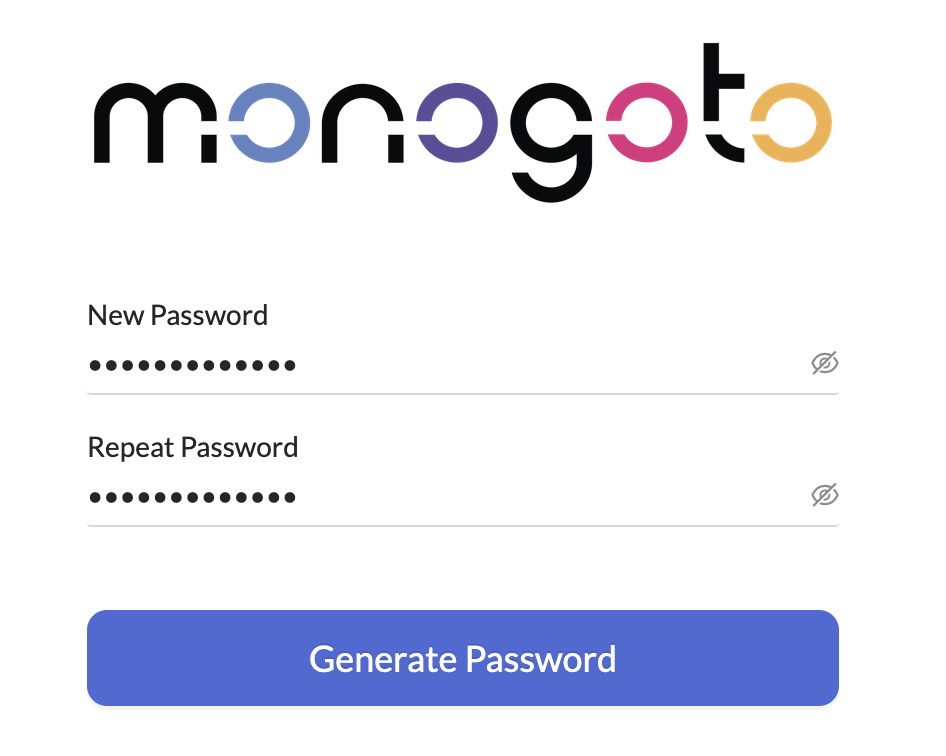
5. Insert the new password twice, and click to generate the new password.

<figure><img src="https://3922449203-files.gitbook.io/~/files/v0/b/gitbook-x-prod.appspot.com/o/spaces%2F-M0mPxGpottOEfcucXOR%2Fuploads%2FeXsJ21SdSMsrpFQRQ9Qh%2Fimage.png?alt=media&#x26;token=3f3d5ab7-6512-4129-9ada-68ae8dccc624" alt="" width="375"><figcaption></figcaption></figure>

6. That's all, now the new user can <mark style="color:orange;">**login to the Monogoto hub**</mark> with the new password.&#x20;