> For the complete documentation index, see [llms.txt](https://docs.monogoto.io/llms.txt). Markdown versions of documentation pages are available by appending `.md` to page URLs; this page is available as [Markdown](https://docs.monogoto.io/private-networks/gnodeb/askey-sce2120.md).
# Askey SCE2120
The [**Askey SCE2120**](https://www.askey.com/products-detail/sce2120_1/) is part of the indoor series of Askey. The gNodeB comes in different versions, supporting different 5G bands.
### Quick Navigation
* [Getting Started](#getting-started)
* [Askey SCE2120 Configuration](#baicells-neutrino-430-configuration)
* [Useful Links](#useful-links)
### Prerequisites
* Askey SCE2120
* Monogoto Edge
* Configuration data to connect the gNodeB to Monogoto Edge\
*Reach out to **** if you haven't received the config data yet*
## Getting Started
{% hint style="warning" %}
The Askey SCE2120 can be integrated with Monogoto Edge support Local Break Out (LBO)
{% endhint %}
Connect the [**Monogoto Edge**](https://docs.monogoto.io/private-lte/monogoto-edge/edge-nuc) to your internet router using an ethernet cable connected to **Port 1**.
Connect the **power cable** of the Monogoto Edge.
Connect an ethernet cable from the [**Monogoto Edge**](https://docs.monogoto.io/private-lte/monogoto-edge/edge-nuc) **Port 2**, to the **WAN port** of the **Askey SCE2120**
Connect the GPS antenna, to the **GPS port** of the **Askey SCE2120.**
Connect your **computer to the LAN** to configure the gNodeB**.**
Connect the **power cable** to the **Askey SCE2120**.
The **POWER** LED will turn **green**.
### Connect your computing to the Askey SCE2120
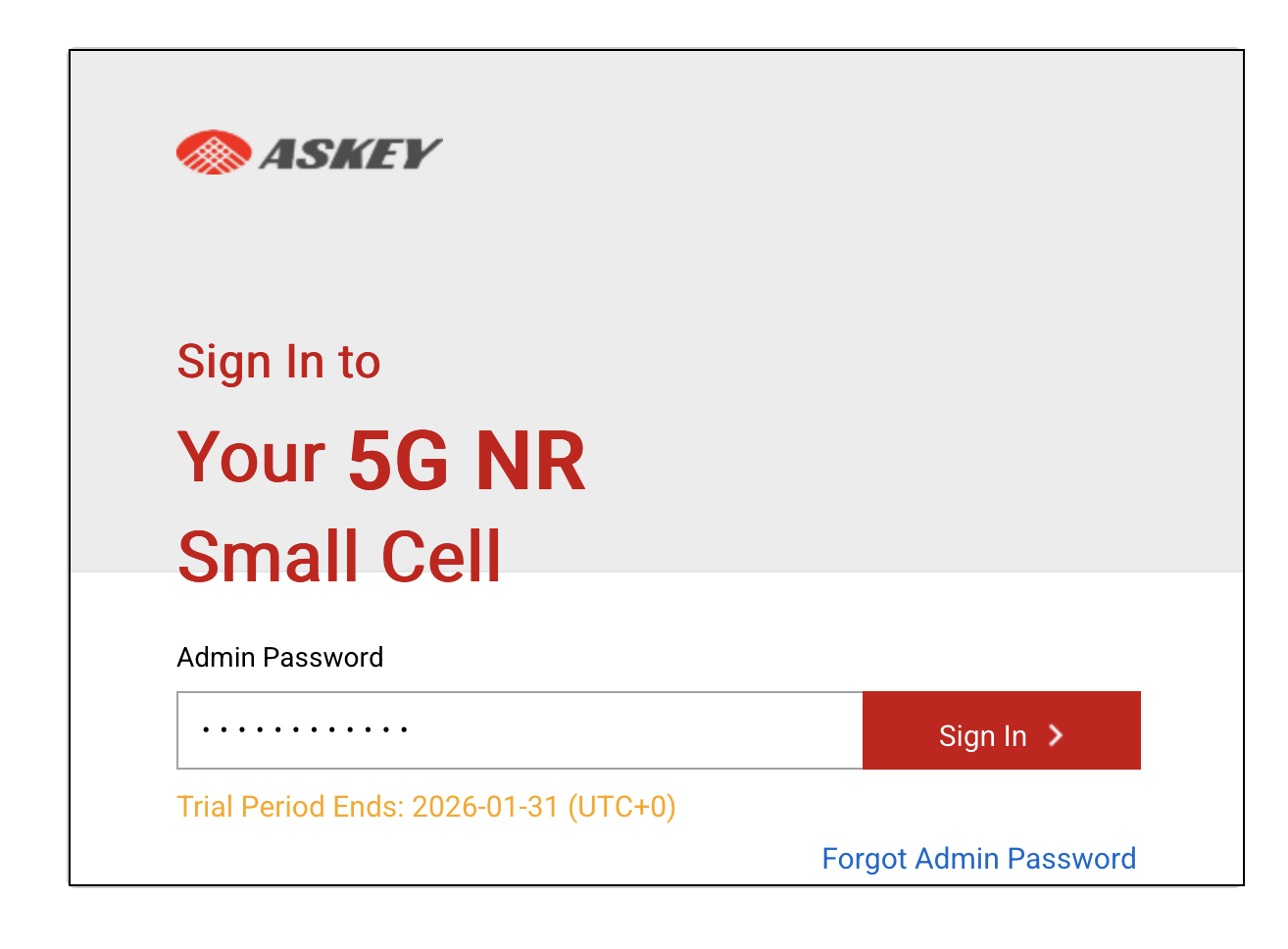
* Open the web browser and enter the IP address of the gNodeB, which is most likely: `192.168.8.100`
* Login using the Admin password: AskNodeB*@a\*b\*c\*d\**
{% hint style="warning" %}
Each gNodeB has an exclusive default password, which is formatted as AskNodeB*@a\*b\*c\*d\**, where \* represents the last four digits of the gNodeB MAC address. For example, if the last four digits of the gNodeB MAC are *1234*, then the default password for that gNodeB would be AskNodeB*1234*
{% endhint %}
Askey SCE2120 **Configuration Guide** \
*For detailed documentation about the* **Askey SCE2120***, review the* **Askey** **Configuration Guide**
## Askey SCE2120 Configuration
#### Set Basic Parameters
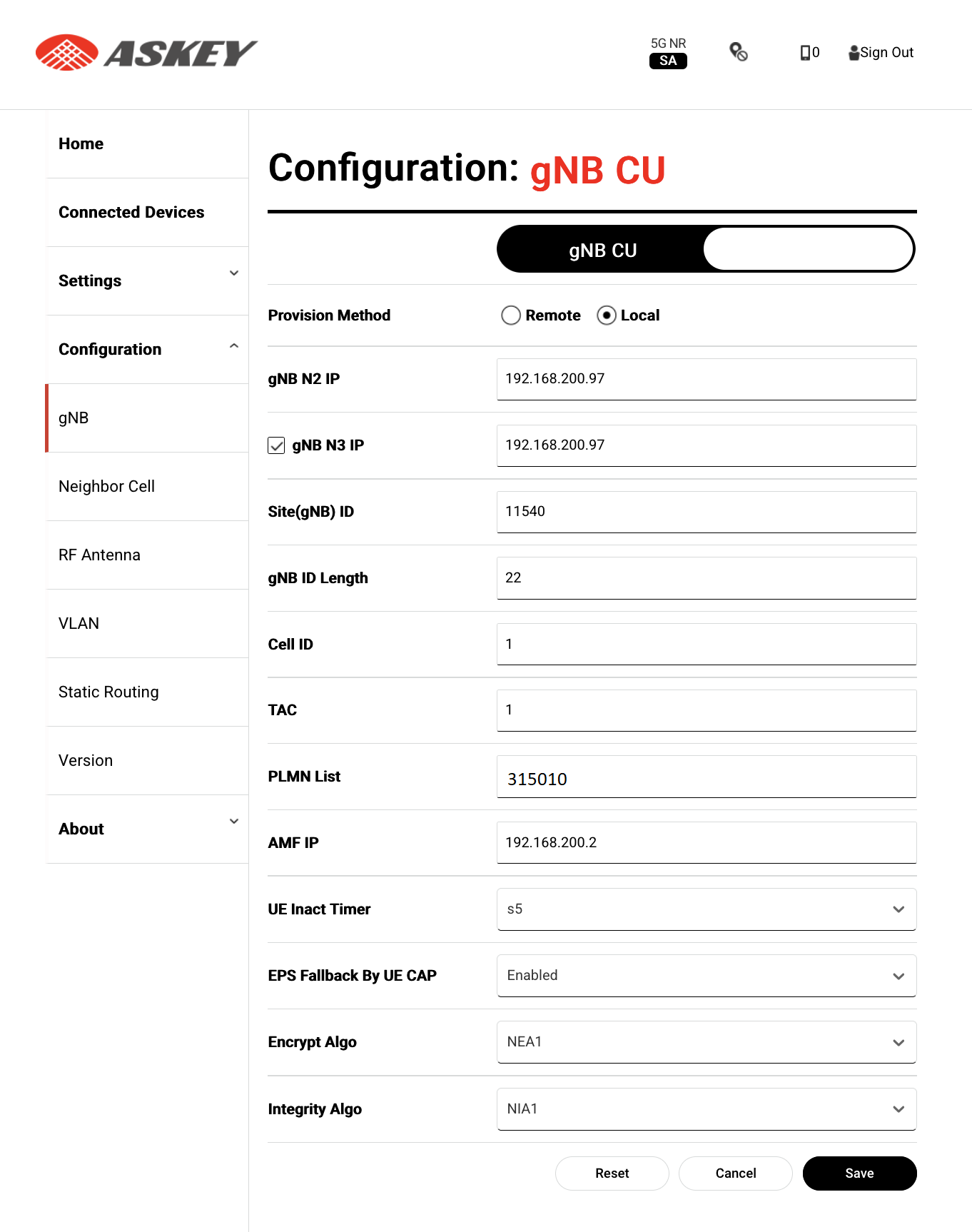
In the Askey SCE2120 configuration portal, select **Configuration->gNB CU** in the navigation bar.
* Set **gNB N2 IP Address** to: `gNodeB WAN ip`
* Set **gNB N3 IP Address** to: `gNodeB WAN ip`
* Set **CEELID / TAC** to: `1`
* Set **PLMN List** to: `315010`
* Set **AMF IP Address** to: `Monogoto Edge AMF ip`
* Set **SST** set it to: `1`
* Under **SD Value** set it to: `66051`
* Set **Encrypt Algo** to: `NEA1`
* Set **Integrity Algo** to: `NIA1`
Select **Save** to save the configuration settings
### Sync Source
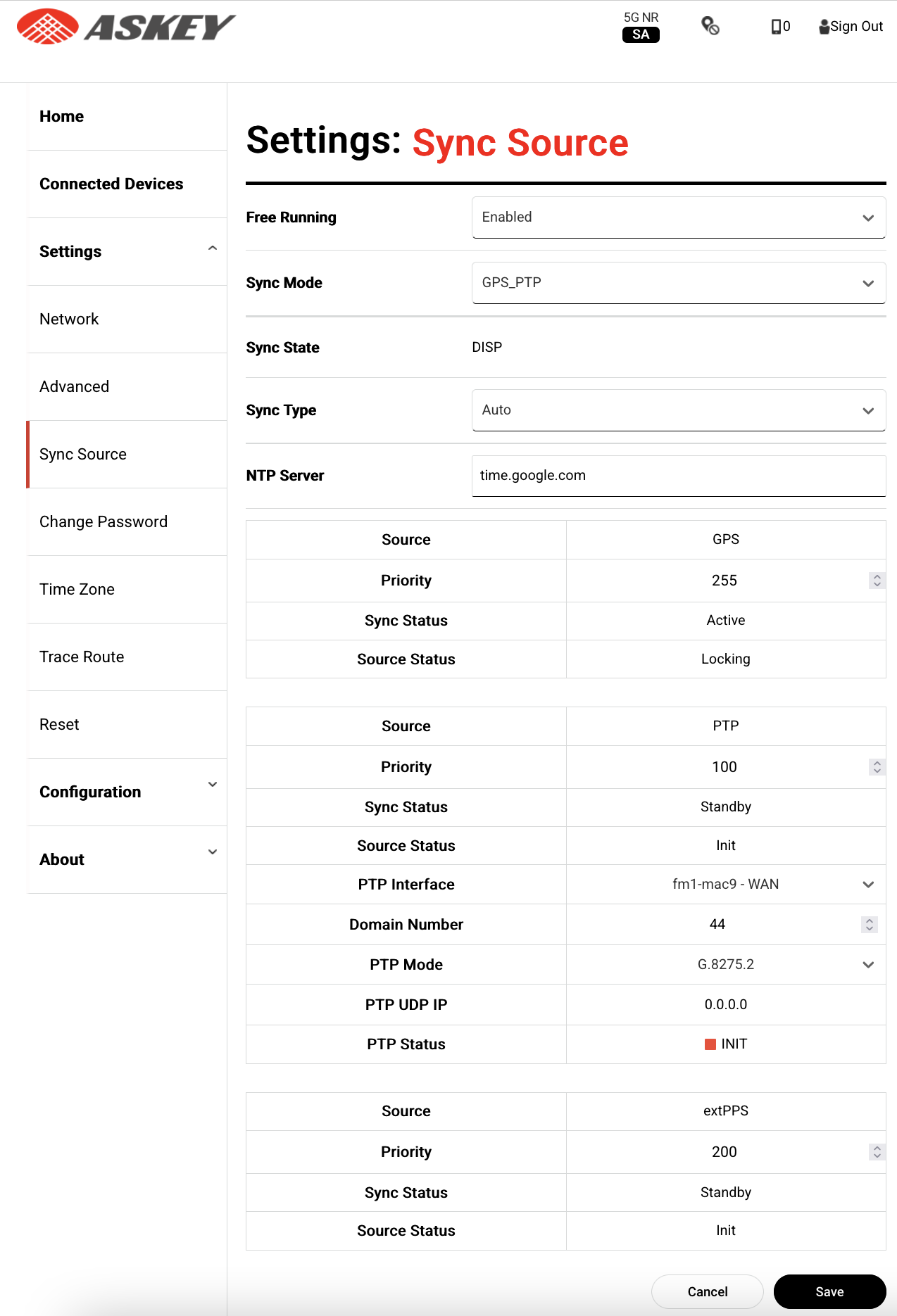
select Settings->Sync Source.
Set **Free Running** to: `Enabled`
### **Validate the** connection
Select **Home**.
To validate the successful connection, review the **System Information**:
* The **Operational Status** should report: `AIn Serveice`

{% hint style="success" %}
Do you see a successful connection? **Congratulations! Your gNodeB is successfully set up 🎉**
{% endhint %}
## Useful Links
* [Askey SCE2120 User Guide](https://files.gitbook.com/v0/b/gitbook-x-prod.appspot.com/o/spaces%2F-M0mPxGpottOEfcucXOR%2Fuploads%2Fyi4SnGJUPVknmwRJuc9d%2FSCE2120%20User%20Guide%20v3.9.5.4.pdf?alt=media\&token=4d50c4d1-8c6a-4388-b2b5-f1e4fab6e255)
 ### Quick Navigation
* [Getting Started](#getting-started)
* [Askey SCE2120 Configuration](#baicells-neutrino-430-configuration)
* [Useful Links](#useful-links)
### Prerequisites
* Askey SCE2120
* Monogoto Edge
* Configuration data to connect the gNodeB to Monogoto Edge\
*Reach out to **
### Quick Navigation
* [Getting Started](#getting-started)
* [Askey SCE2120 Configuration](#baicells-neutrino-430-configuration)
* [Useful Links](#useful-links)
### Prerequisites
* Askey SCE2120
* Monogoto Edge
* Configuration data to connect the gNodeB to Monogoto Edge\
*Reach out to ** Connect an ethernet cable from the [**Monogoto Edge**](https://docs.monogoto.io/private-lte/monogoto-edge/edge-nuc) **Port 2**, to the **WAN port** of the **Askey SCE2120**
Connect the GPS antenna, to the **GPS port** of the **Askey SCE2120.**
Connect your **computer to the LAN** to configure the gNodeB**.**
Connect the **power cable** to the **Askey SCE2120**.
The **POWER** LED will turn **green**.
### Connect your computing to the Askey SCE2120
* Open the web browser and enter the IP address of the gNodeB, which is most likely: `192.168.8.100`
Connect an ethernet cable from the [**Monogoto Edge**](https://docs.monogoto.io/private-lte/monogoto-edge/edge-nuc) **Port 2**, to the **WAN port** of the **Askey SCE2120**
Connect the GPS antenna, to the **GPS port** of the **Askey SCE2120.**
Connect your **computer to the LAN** to configure the gNodeB**.**
Connect the **power cable** to the **Askey SCE2120**.
The **POWER** LED will turn **green**.
### Connect your computing to the Askey SCE2120
* Open the web browser and enter the IP address of the gNodeB, which is most likely: `192.168.8.100`